How to
Process a lab test
- 1
Tests ordered during a consultation appear in the laboratory list.
- 2
Collect the sample, print the label and record the results.
- 3
Generate the report and share it. The result stays on the pet’s record.
app.aurevet.com
Laboratory & Imaging
Follow each lab order from sample to report, with results recorded against reference ranges. Imaging studies keep their status, report and images next to the pet’s record.
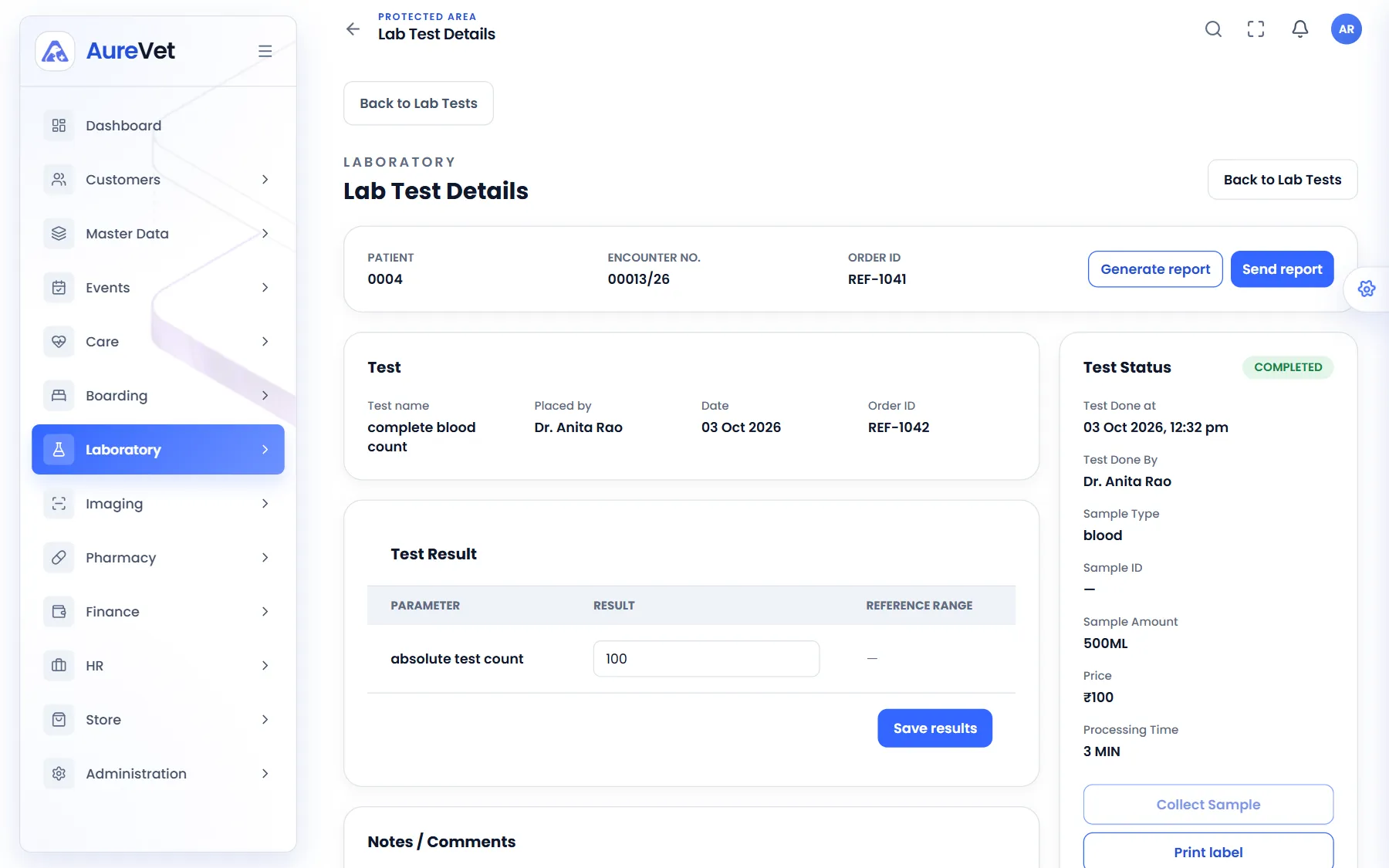
The test, its results against reference ranges, the sample and the report.
Sound familiar?
Every test from order to completion, with its payment status.
Track samples and print labels for the tubes.
Record results against each test’s reference range.
Generate and share the report.
Requests, reports and images, in-house or outside.
The tests your clinic runs, with prices.
In practice
What everyday tasks look like in Aurevet.
How to
Tests ordered during a consultation appear in the laboratory list.
Collect the sample, print the label and record the results.
Generate the report and share it. The result stays on the pet’s record.
How to
Open the imaging request and update its status.
Attach the report and images. They stay with the pet’s history.
Inside the app
Click a screen to see it full size.
Lab test details
The test, its results against reference ranges, the sample and the report.
Laboratory
Every lab order and where it is up to.
Imaging study
Status, report and images for one study.
Imaging list
Every imaging order by patient and status.
Screens from the Aurevet app. Names and contact details shown are sample data.
Yes. Set up the tests your clinic runs, with their parameters, reference ranges and prices.
Part of the patient journey
Book a walkthrough and we will show you the modules your clinic would use day to day.