How to
Give each person the right access
- 1
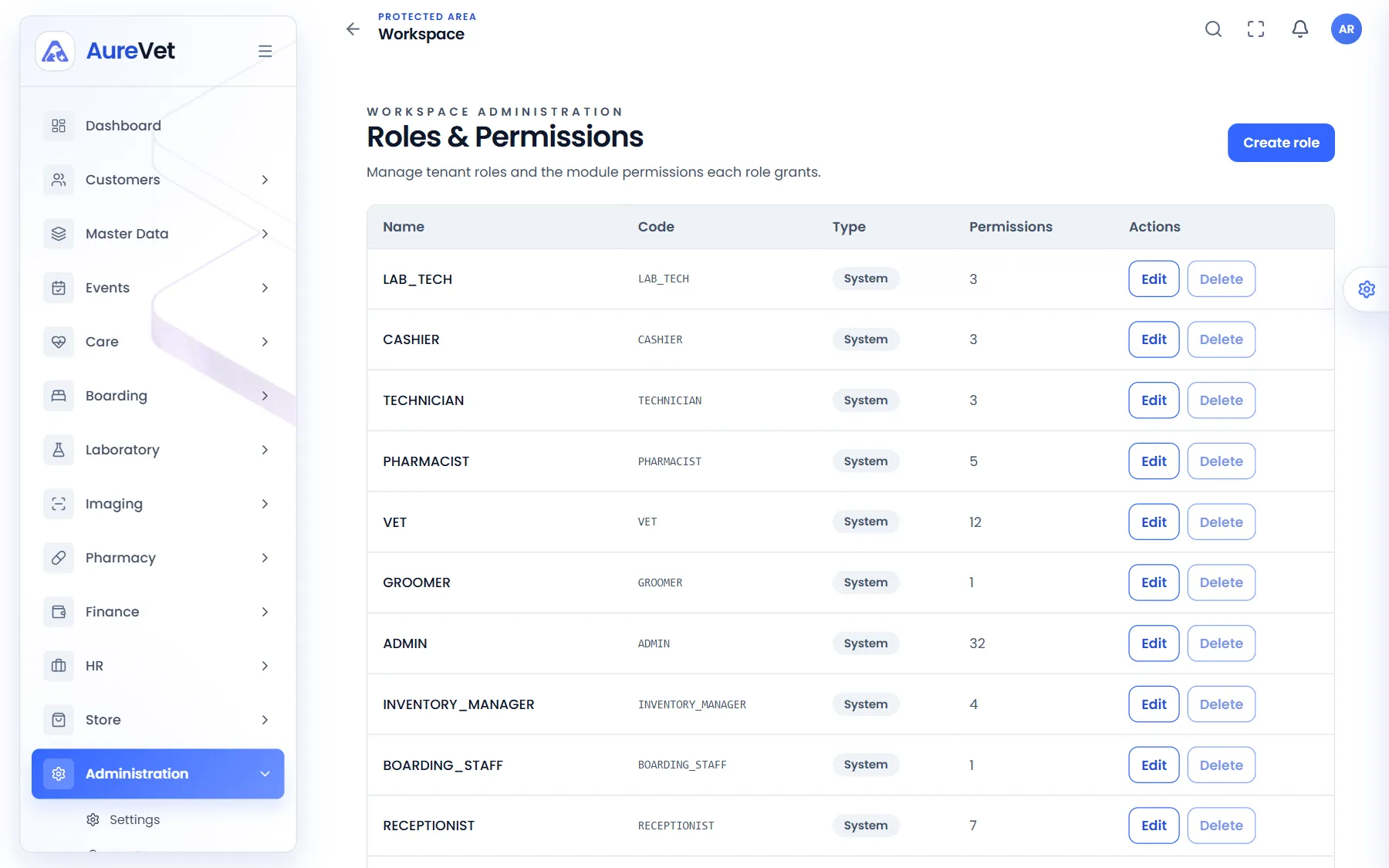
Start from the built-in roles, such as vet, receptionist, pharmacist and cashier.
- 2
Adjust what each role can see and do, or create your own.
- 3
Assign roles to people from their employee record.
Roles, Audit & Multi-clinic
Give each person the access their role needs, see what was done in the audit trail, and put your clinic’s branding on invoices and reports. One platform can run several clinics and branches.

Built-in roles for every job in the clinic, plus your own.
Sound familiar?
Built-in roles for every job, and your own if you need them.
See who did what, and when.
Your clinic’s details, defaults and language.
Your header, footer and letterhead on invoices and reports.
Run several clinics or branches from one platform.
Choose what owners can see.
In practice
What everyday tasks look like in Aurevet.
How to
Start from the built-in roles, such as vet, receptionist, pharmacist and cashier.
Adjust what each role can see and do, or create your own.
Assign roles to people from their employee record.
How to
Open the audit center.
Filter by area, action, person or date to see exactly what happened.
Inside the app
Click a screen to see it full size.
Roles
Built-in roles for every job in the clinic, plus your own.
Audit center
Who did what and when, filterable by area.
Screens from the Aurevet app. Names and contact details shown are sample data.
Yes. Activity such as sign-ins, record changes, dispensing, stock changes and payments is recorded and can be filtered.
Book a walkthrough and we will show you the modules your clinic would use day to day.