
How to
Invoice a visit
- 1
Choose the owner. Their unbilled charges are already there: consultation fees, medicines, boarding and services.
- 2
Select what to bill and create the invoice.
- 3
Record the payment, in full or in part, and print the invoice.
Billing & Finance
Charges from consultations, the pharmacy, grooming and boarding come together on one invoice. Take payments as they come in, print the invoice, and keep an eye on the month’s income, expenses and outstanding balances.

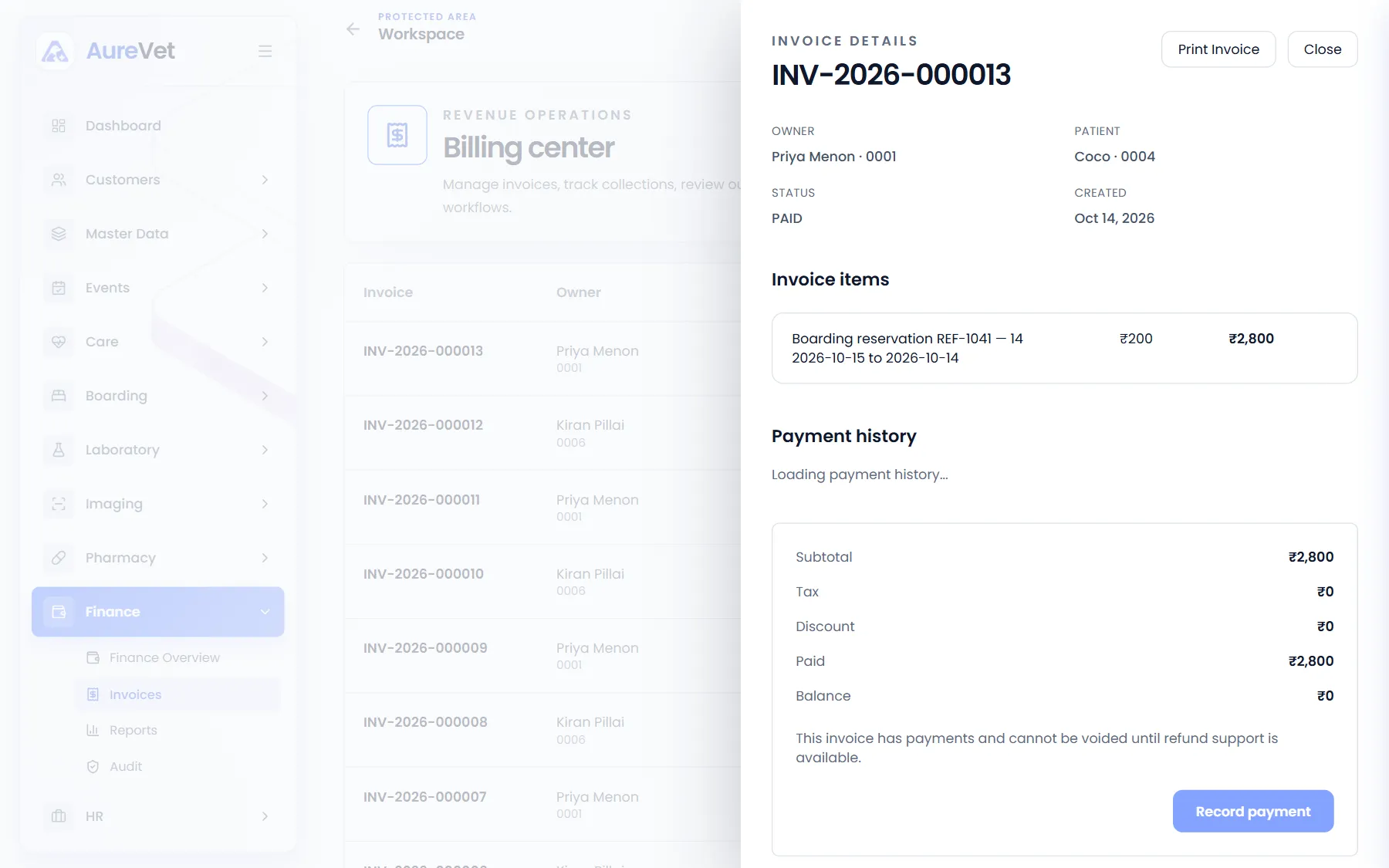
Invoice items, payments and balance, with print and record payment.
Sound familiar?
Every invoice with its status and balance.
Consultations, medicines, boarding and grooming reach the invoice.
Full or part payments, with the balance always up to date.
Printable invoices with your clinic’s branding.
Income, expenses, outstanding invoices and counter sales.
Record money in and out that is not on an invoice.
In practice
What everyday tasks look like in Aurevet.
How to
Choose the owner. Their unbilled charges are already there: consultation fees, medicines, boarding and services.
Select what to bill and create the invoice.
Record the payment, in full or in part, and print the invoice.
How to
Finance shows the month’s income, expenses and net at a glance.
See outstanding invoices and today’s counter sales, and record other income and expenses.
Inside the app
Click a screen to see it full size.
Invoice details
Invoice items, payments and balance, with print and record payment.
Billing center
Every invoice with owner, pet, status, total and balance.
Finance
The month’s income, expenses and net, outstanding invoices and counter sales.
Bills for one patient
One pet’s invoices, from its record.
Screens from the Aurevet app. Names and contact details shown are sample data.
Yes. Record payments as they come in, and the invoice always shows what is left to pay.
Part of the patient journey
Book a walkthrough and we will show you the modules your clinic would use day to day.