How to
Make a boarding reservation
- 1
Choose the owner, pet and an available kennel.
- 2
Pick the dates and add feeding and medical notes.
- 3
The stay shows up in check-ins and check-outs, and on the owner’s invoice.
app.aurevet.com
Grooming & Boarding
Grooming and boarding are full modules, not a spreadsheet on the side. Book grooming with a groomer and services, reserve a kennel with care notes, and see check-ins, check-outs and kennel status at a glance.
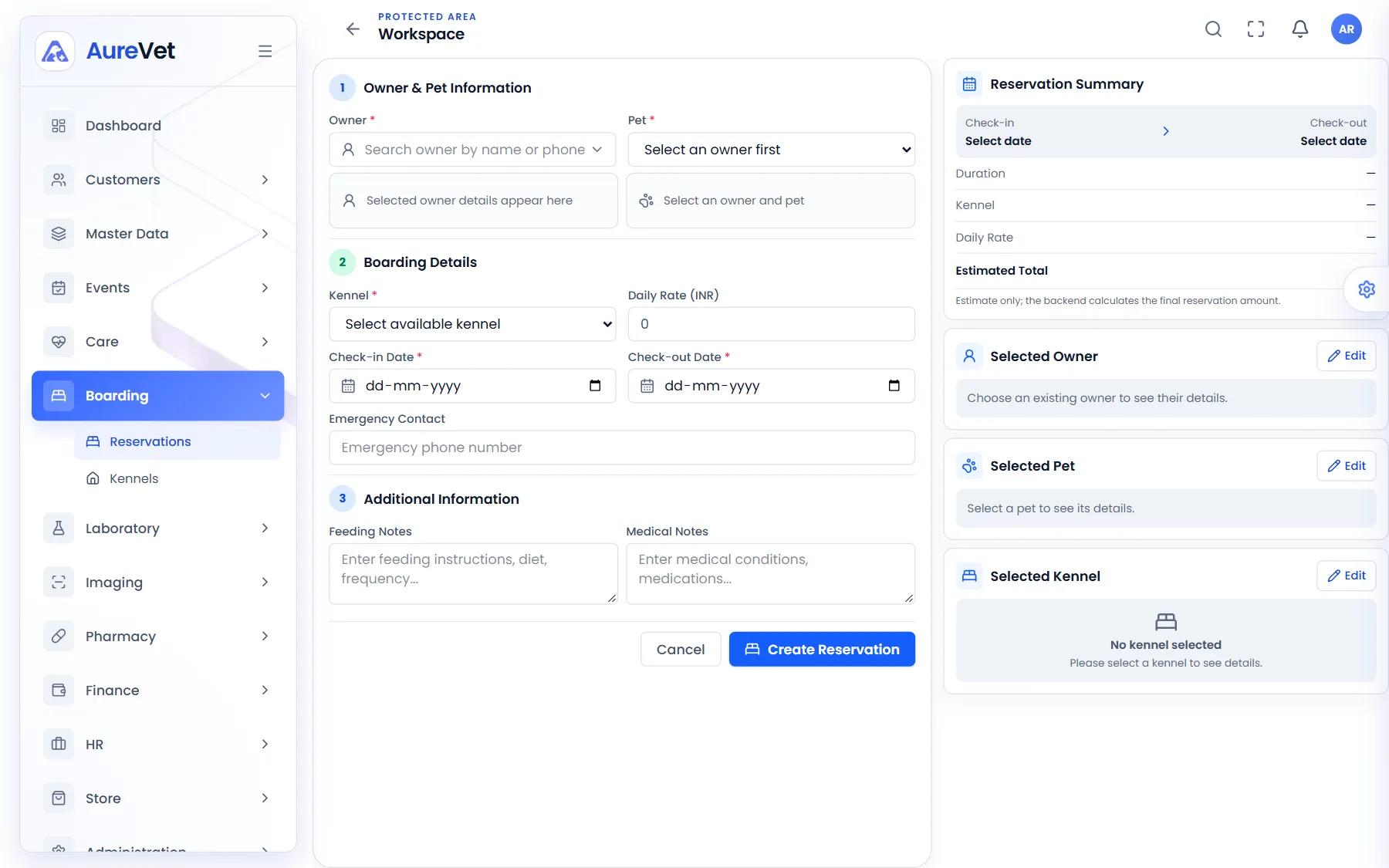
Owner and pet, kennel, dates and care notes, with a running estimate.
Sound familiar?
Services, groomer and time slot, from booked to done.
Your services and prices for each kind of animal.
Kennel, dates, daily rate and care notes for each stay.
Which kennels are free, occupied or being cleaned.
Who is arriving, who is staying and who is leaving.
Boarding and grooming bill with the rest of the clinic.
In practice
What everyday tasks look like in Aurevet.
How to
Choose the owner, pet and an available kennel.
Pick the dates and add feeding and medical notes.
The stay shows up in check-ins and check-outs, and on the owner’s invoice.
How to
Choose the pet, the groomer, the time and the services.
Follow the appointment from booked to completed.
Inside the app
Click a screen to see it full size.
New reservation
Owner and pet, kennel, dates and care notes, with a running estimate.
Boarding reservations
Upcoming check-ins and check-outs, and who is boarding now.
Kennel management
Every kennel with its status and daily rate.
Grooming appointments
Bookings with services, groomer, time and status.
Grooming services
Your services and prices by animal type.
Screens from the Aurevet app. Names and contact details shown are sample data.
Yes. See which kennels are available, occupied, being cleaned or in maintenance, with their daily rates.
Book a walkthrough and we will show you the modules your clinic would use day to day.